My first iPhone

November 14th, 2010
Wolfram Kriesing

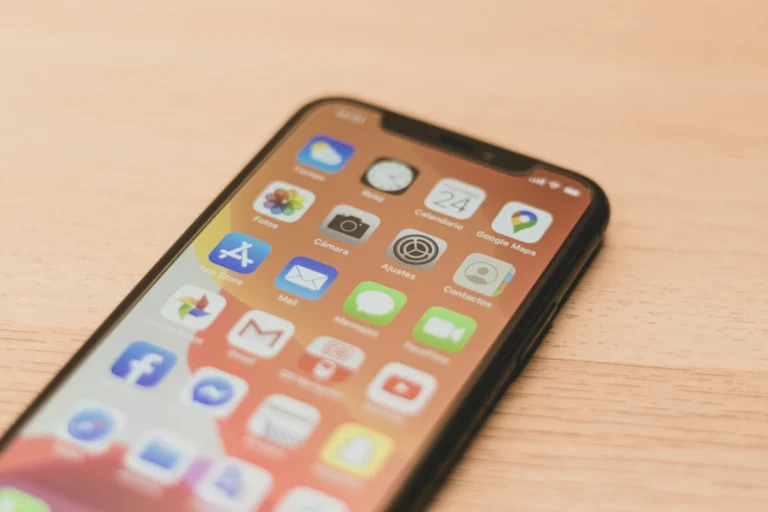
Just a couple of days ago we bought an iPhone4 for those of uxebu who wanted or needed one. I got me one too and I really need it ;) I am serious – showing our apps is much easier when having my own phone instead of asking the customer to install a certain app from the store or go to a certain URL on his own iPhone.
I never had an iPhone before, I just played with those of others. So I thought I just write down some of my first days’ experiences, since I felt there are really huge differences in the way the different phones are used and meant to be used.

Connectivity

Seemless connectivity is one of the best features of the iPhone, I configure a WiFi once and it uses it without bothering me, if not available it uses 3G. And it does that really fast, that was amazing! Not that other phones don’t have that, Android phones do that pretty well too, but BlackBerry, Nokia and others just never felt so smooth and fast regarding connectivity. You had to fight menus and it was just never as comfortable – though I have to add that BlackBerry6 got a lot better.
But let me differentiate here. The above targets the seemless and reasonable switching for being online, I really mean internet access. But the phone line connectivity felt different. I had been in places where the HTC Desire had phone coverage but the iPhone did not even find a source to connect to. I don’t know why, but a hotel in Munich a bit out of town and the Dubai Airport had been such places. For those iPhone-only users I can just hope that my phone is the exception.
Speaking of connection there was a very special use case that occured to me. On Emirates flights a mobile connection is provided, called AeroMobile iirc. I didn’t manage to connect with either phone, not the HTC Desire neither the iPhone4. But the Desire told me at least that my SIM card is not capable of connecting to this network. The iOS only told me to go into the settings and try to connect from there (also if I was already in there), which always left me hoping (until the Android told me why it couldn’t work).

Location

GPS reception is another thing somehow related to connectivity. And I can just say – awesome. I think I never held a device in my hands that retreived it’s position so quickly like the iPhone. I think GPS was turned on from the beginning (if not it was a single click that made me activate it), and from that moment on everytime I opened the maps app I got a result almost instantly. Maybe I had only been testing it with good reception, I can’t tell. I didn’t explicitly test GPS, it’s just a subjective feeling that my location was always retreived easily. Very smooth, that’s how it has to be.
Though there was one glitch. Once I used instagram and it retreived my location well, but didn’t again at this same spot, but that might have been just a glitch :).

Operator Settings

was another very positive experience the iPhone has to offer. If you have ever been fighting with APNs esp. on the Vodafone networks you know what I am talking about. Since we are working for Vodafone we had the pleasure already a couple of times with different phones, that we had to be careful which APN settings to use. And just to find them on the various different phones is not always easy – Nokia ;). The iPhone is configured for the first time when you activate it via iTunes. That is a pretty clever thing. All pure iPhone users will probably never get in touch with APNs, good for you. Of course the drawback here is that you have to activate the iPhone at all, which I didn’t really feel comfortable with. It felt a little bit like “first you tell Apple that you are the one using the iPhone”. Do I know what data iTunes sends home?

UX

Probably THE major difference to all other phones I had used before (and that have been a lot), was the instant reaction triggered by every touch. It felt good right away, anywhere I touch and expect something to happen it does happen. The LG Optimus with Windows Phone 7 on it is the only one comparable. Now the surface just needs to be smoother, somehow touching the glas makes this very organic touch interface, which works so fine, feel cold in the end. … Just a feeling.
Almost every app is built this way, that it reacts whenever you expect it to. Some are even optimized and built that way, that you get the feedback right away and you know it started working. Very nice. Surprisingly that one of the pre-installed Apple apps doesn’t completely fulfill this expectation, the camera app. First it takes quite a while to open and that really sucks when I want to take a quick picture. And second even though the app opened I have to wait until it is done initializing the app before I can switch between camera and video mode.
Anyway, I would really prefer a hardware button for taking pictures, that could replace a separate camera completely. And speaking of the camera, the HDR mode feels pretty useless imho. I expected much more of it one more feature you can reduce Apple, or improve it by very much, and while you are on it make it faster :).

Back Button Policy

One major difference in using Android compared to all other platforms is the system-wide history. Which easily speaking means you can click the back button (which every Android device has) to step through the history of all you did across applications. E.g. if you open the browser from within a twitter app and keep surfing in the browser, you can go back through the URLs you surfed too all the way back to the twitter app from where you came. This is something that is not possible on the iPhone. If your preferred twitter app doesn’t open a website inside the app you have to open the twitter app again to get back to it. The back button in the browser only lets you surf through the browsers history. In mobile I think the Android concept makes a lot of sense, simply because on mobile I have smaller apps with more focused use cases and combining them makes the mobile really powerful. So the Android way is very efficient for the user to keep the focus and not bother with what app did what, it let’s you simply use the phone. Imho very efficient.
Of course they are fundamentely different concepts, Android and iPhone. Android had multitasking right from the beginning and it always had a hardware back button. As discussed yesterday over dinner with Ashwin, Sudheer and Ramjee the iOS might get a system-wide history in the next major version. As stated above I think that would make such a device way more efficient to use.
The simple solution here, that appeared to me when I first surfed on the iPad is to use the three fingers back gesture across devices (it works on the Mac, but not yet on iPad and iPhone, etc.). That would make the iOS easily “upgradable” to provide a system-wide history, no UI changes necessary :). Who knows …

Add to homescreen

Another thing I was a little bit disappointed with was the “add to homescreen” functionality. I added my gmail to my homescreen and even though the iPhone supports multitasking every time I click the gmail shortcut it reloads the page instead of bringing the linked page to the front. That means if you had been searching something in your gmail, open a URL (in the browser) and go back to the gmail app (by clicking the icon on the homescreen) the search result is gone. Here you can also see how well a system wide history would fit into play.
And additionally I think it would be awesome, to make web apps (that are just linked on the homescreen) even more independent by giving them their own browser instance. My gmail did also always show up in the browser tabs, which was first suprising for me. But I guess the mobile web app concept is something around which we will see some movement in the near future. And I am sure a lot of better ideas will come up.

Conclusion

One last thing Apple: please come into the standards world, don’t try to be the next Microsoft. 1) use a proper micro USB port with your device, everybody does that, just for Apple devices I need an extra cable. And 2) if I connect the iWhatever via USB I want access to the USB device as a proper drive, just like everybody offers it. It is very silly that I need iPhoto to download pictures from the iPhone. I understand the business aspect but usability-wise I am sure this could put you in a much better spot. I am sure that you needed to hack quite some stuff into your OSes to hide this “special” USB device :(.
And the very last thing … battery life of the iPhone4 is he best among all the modern smartphones I had been carrying around the last couple of months. The following fail by far compared to the iPhone4: Palm Pre Plus, BlackBerry Torch, HTC Desire, Samsung Galaxy. Those last one day at most.

To close this article, I would like to say that I like the differences and being able to compare. There is sooo much room for improvement and so many great ideas in all the concepts. I am very curious to see where the future is heading. I will keep using as many phones as I can get my hands on … the peek9 just arrived … gotta go playing :)

Comments

Nice fair review.

I am still considering between getting the iphone 4 with the antenna issue or wait for iphone 5, which will probably be out next summer?

1

November 15, 2010 — 04:58 am
Sze Yong

Leave a Reply